Categories
Engineering Software

Sale Monitor

I got tired of manually checking prices on things I was watching. Price tracking services exist, but they’re limited to specific retailers, don’t let you define your own alert rules, and you have no control over your data. I wanted something self-hosted that could monitor any product on any site, track history, and notify me across multiple channels when a deal hits.

What started as a simple script to scrape prices and send an email turned into a full application with a web dashboard, multi-currency support, product grouping for cross-retailer comparison, and purchase tracking to quantify actual savings.

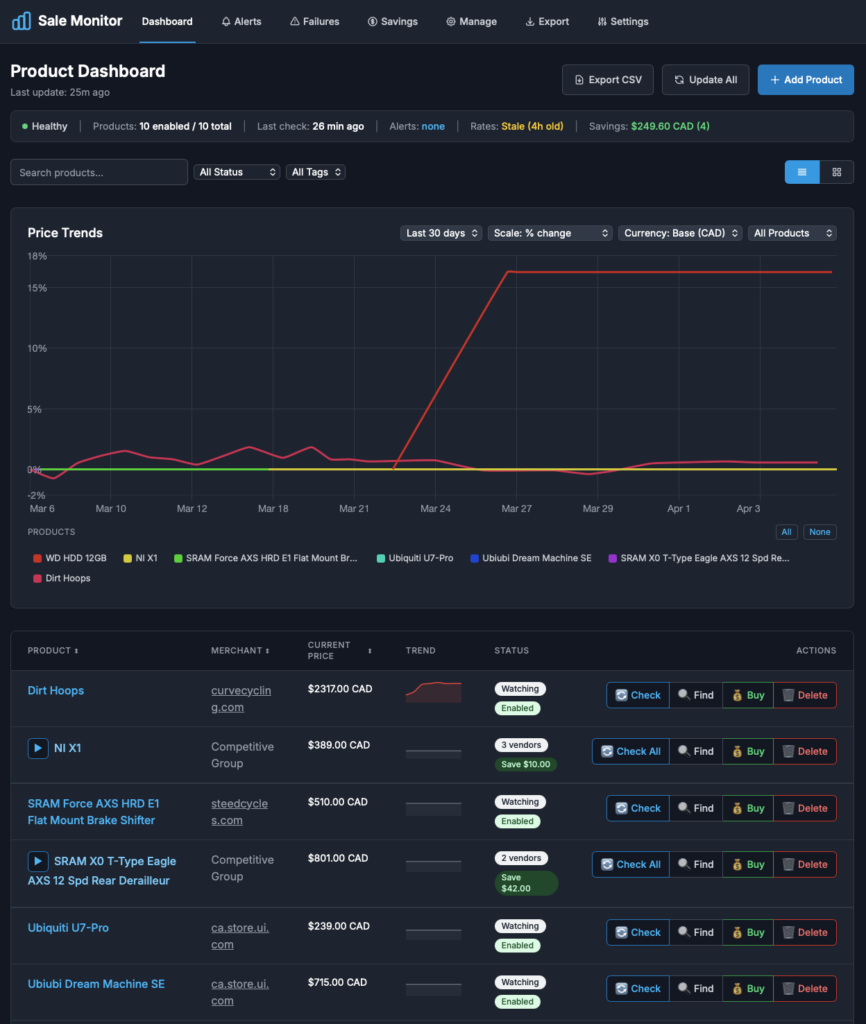
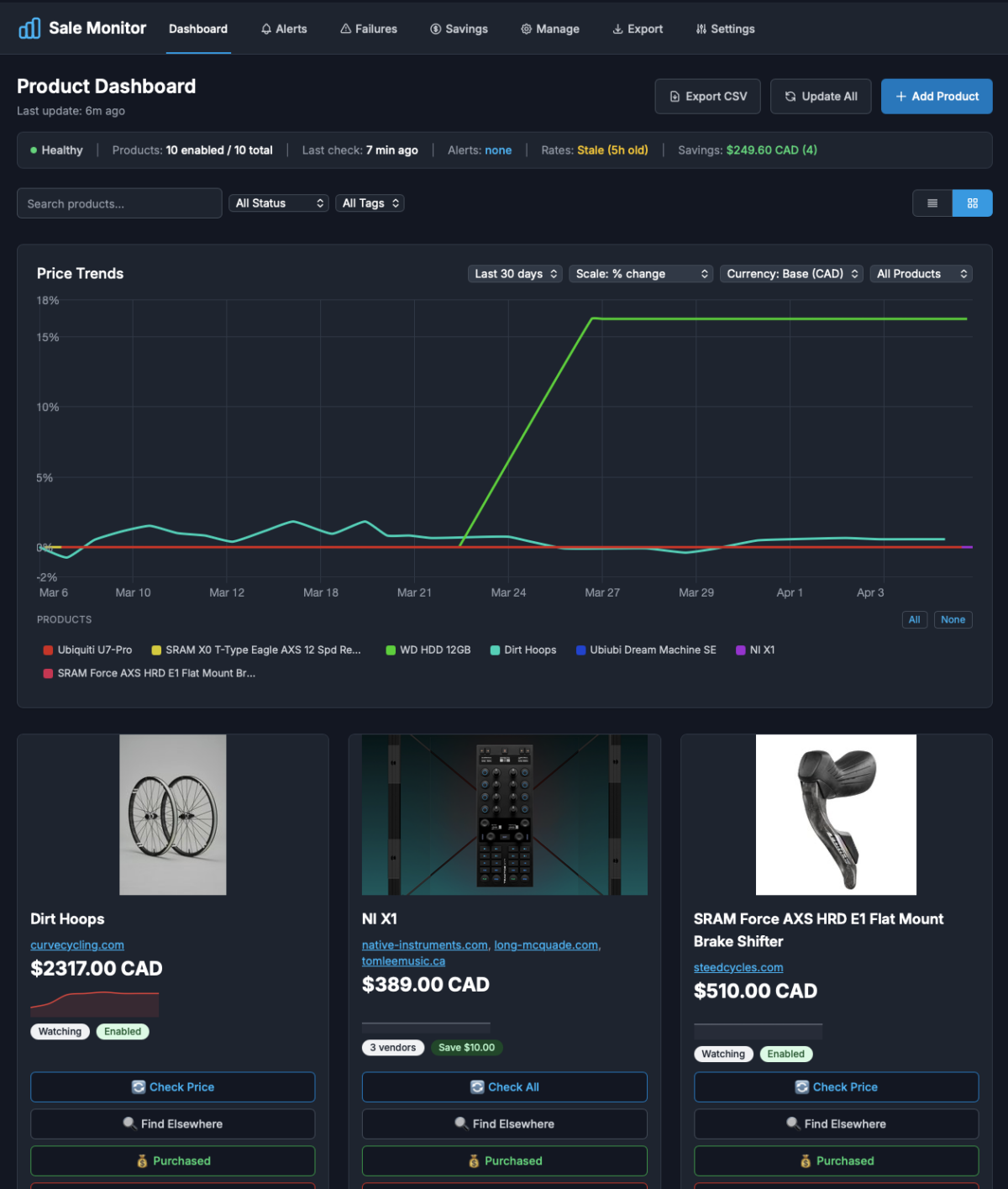
Dashboard page

How It Works

The core loop is straightforward: a background process checks product pages on a schedule, extracts the price using either a user-defined CSS selector or auto-detection (60+ built-in selectors for major retailers), converts to a base currency, and stores the result in SQLite. When a price triggers an alert rule, notifications go out over email, Discord, or Slack.

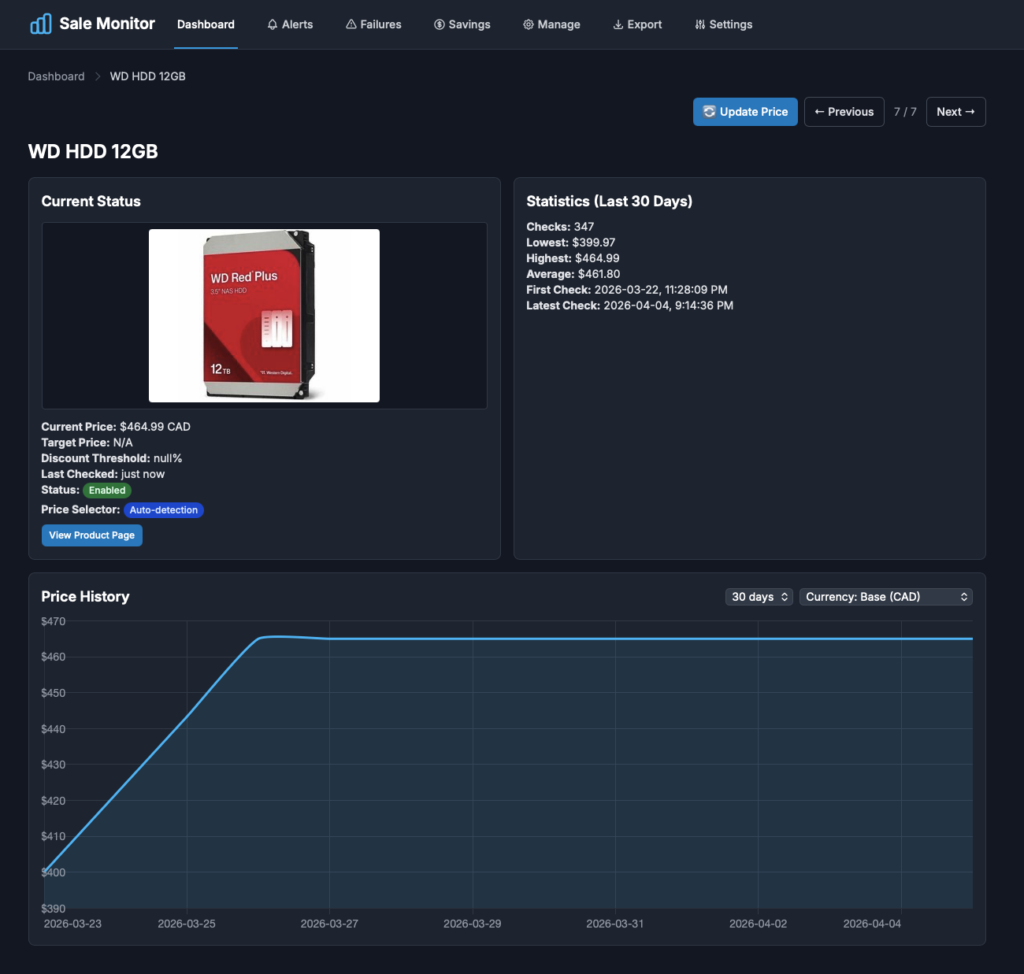
The web dashboard is where most of the interaction happens. Products are displayed in a sortable table or card grid with live price data, trend indicators, and quick actions. Each product has a detail page with an interactive price history chart and statistics. Products selling the same item across different retailers are automatically grouped using identifiers extracted from the page (MPN, SKU, GTIN), so you can compare pricing across vendors at a glance.

Product detail page

Alert Rules

There are five configurable alert types per product, which can be combined:

  • Target price – triggers when the price drops to or below a set amount
  • Discount threshold – triggers on a percentage drop from the last known price
  • Price drop – any decrease from the previous check
  • Below average – price falls under the 30-day rolling average
  • Any change – notifies on any price movement, up or down

Each product has its own notification cooldown to prevent spam, and can override the default notification channels.

Features

  • Dark-themed responsive dashboard with table and card views
  • Interactive price history charts with selectable time ranges (7d to all-time)
  • Auto-detection of prices on 60+ retailer platforms (Amazon, Best Buy, Shopify, WooCommerce, etc.)
  • Multi-currency support with automatic conversion and cached exchange rates
  • Product grouping and cross-retailer price comparison
  • Purchase tracking with savings calculation
  • Failure diagnostics page with per-product extraction health metrics
  • Bulk CSV import/export
  • Browser bookmarklet for identifying price selectors on any page
  • Optional API key authentication and rate limiting

Tech Stack

  • Backend: Python, Flask, Gunicorn
  • Storage: SQLite with WAL mode for concurrent reads/writes
  • Frontend: Jinja2 templates, Tailwind CSS, Chart.js
  • Notifications: SMTP (with retry), Discord webhooks, Slack webhooks
  • Deployment: Docker with supervisord managing the web server and monitor process
  • Hosting: Self-hosted

The price extraction runs in a thread pool (4 workers) for parallel checks. SQLite’s WAL mode lets the web dashboard serve reads while the background monitor writes new data without locking. Schema changes are handled through versioned migrations.

What I Learned

Building the auto-detection was the most interesting challenge. Every retailer structures their pricing differently, and even sites on the same platform (Shopify, WooCommerce) have variations. The approach I settled on is a priority chain: try the user’s custom selector first, then platform-specific selectors, then generic fallbacks. Currency detection follows a similar pattern – JSON-LD first, meta tags, platform-specific data attributes, then fall back to configured defaults.

Product grouping was another area that required more thought than expected. Matching products across retailers by name is unreliable, but standardized identifiers (MPN, GTIN) extracted from structured data on the page work well. The system uses a three-tier matching strategy: explicit user-defined groups take priority, then manually assigned keys, then auto-detected identifiers.

Categories
Engineering Software

Computer Vision Based Object Detection

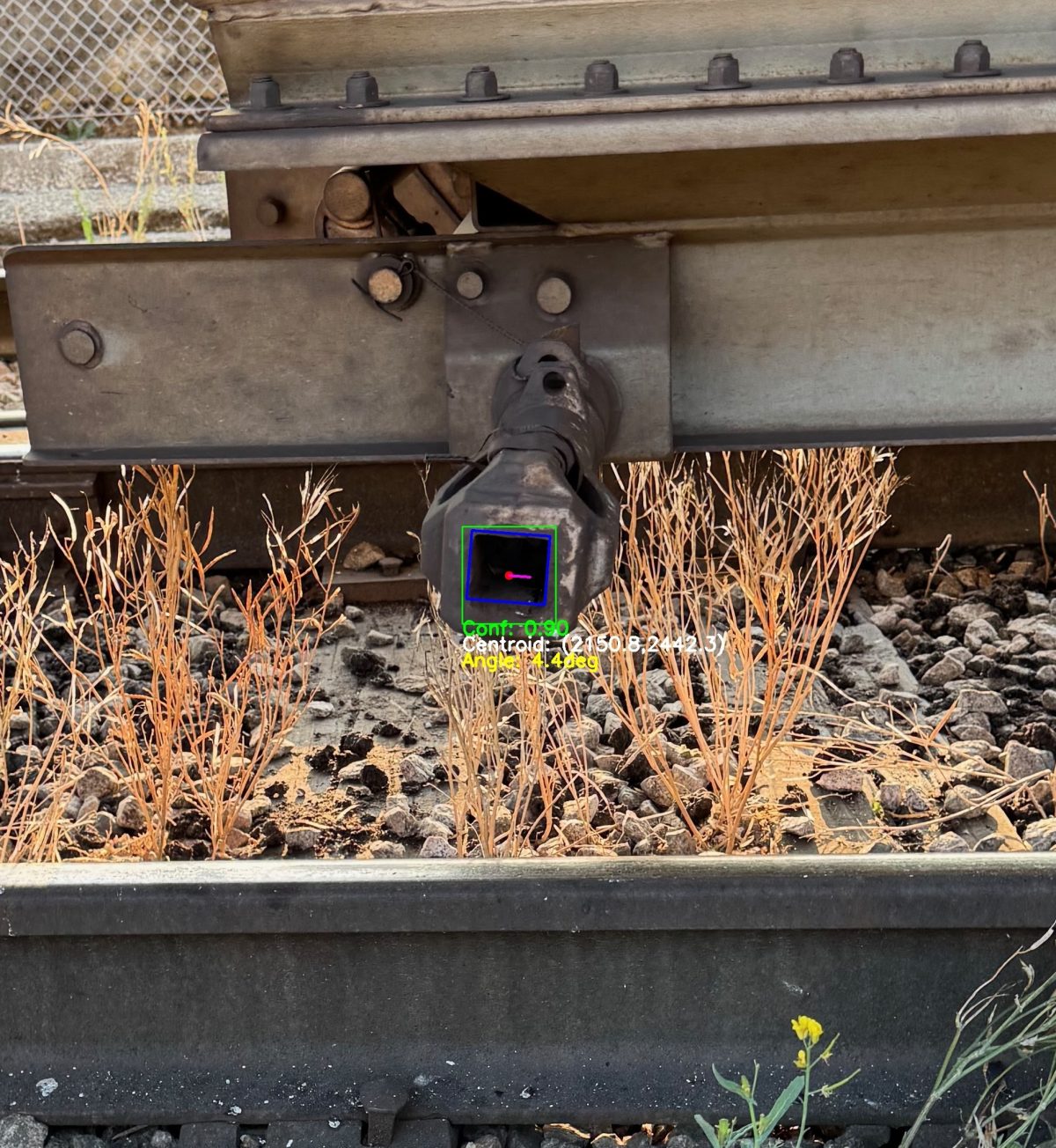
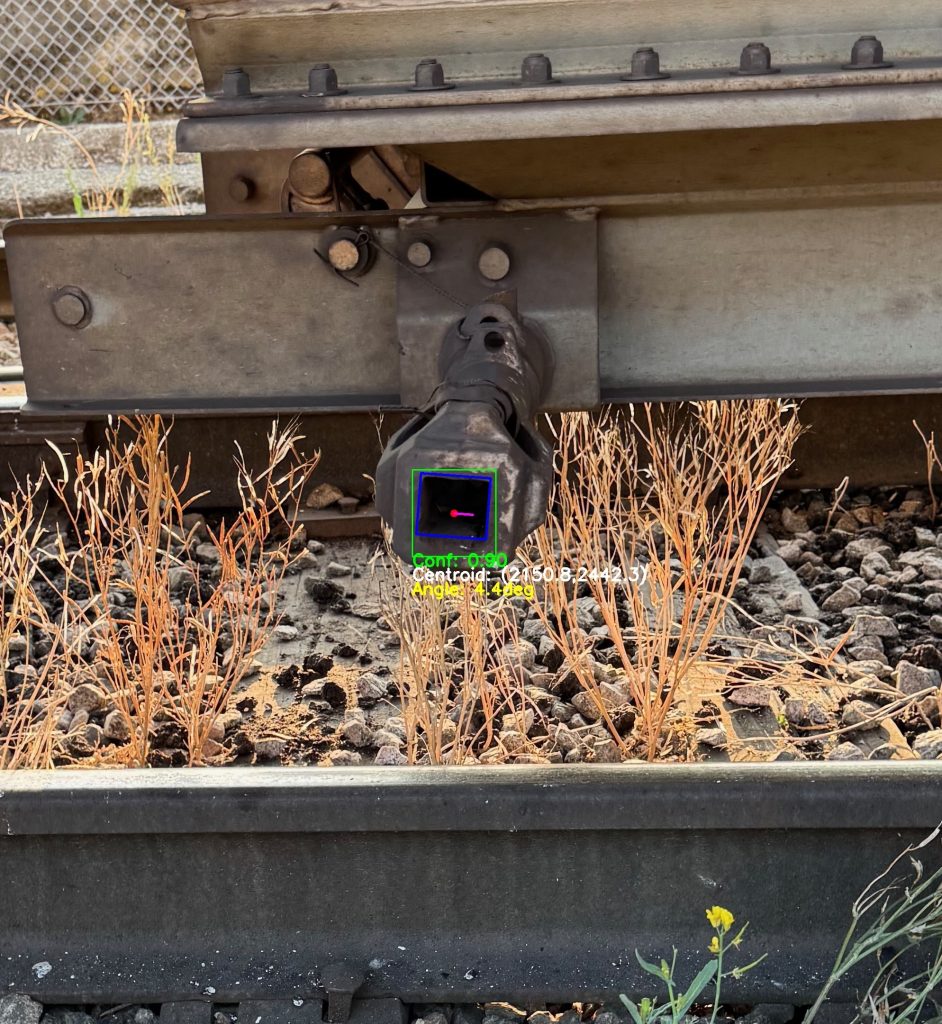
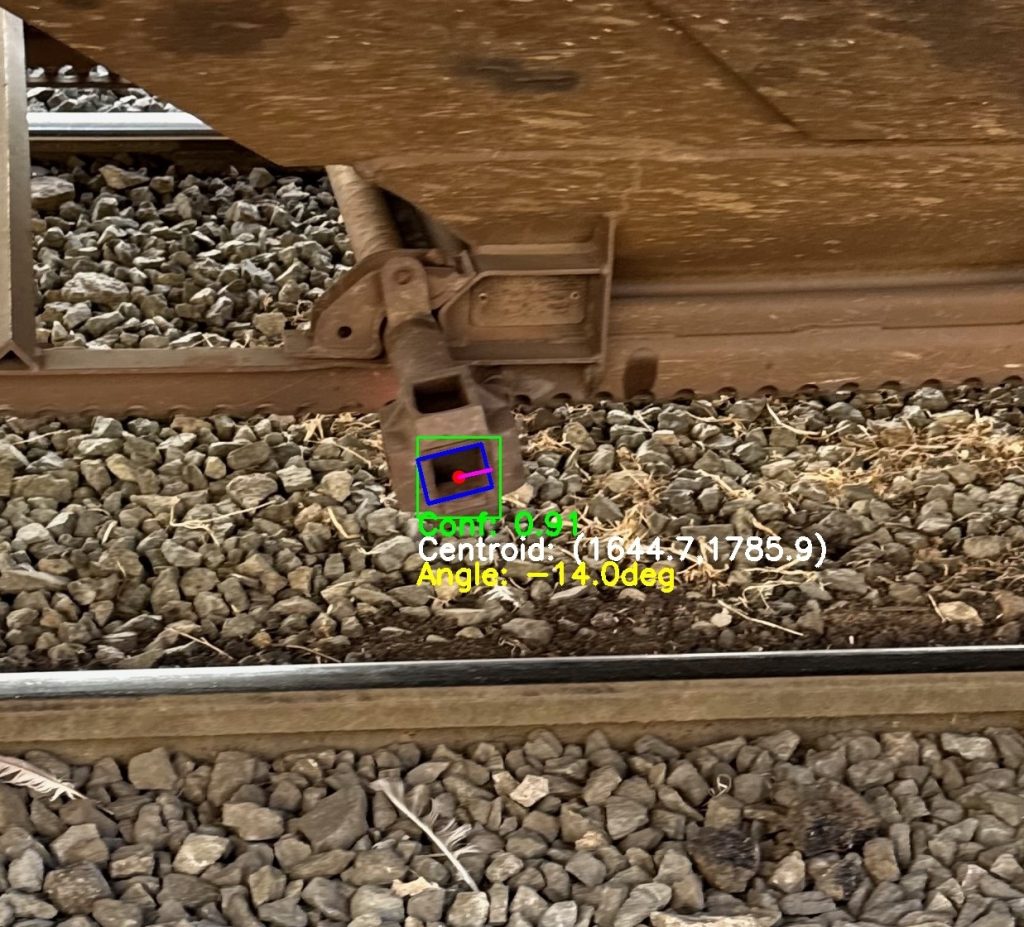
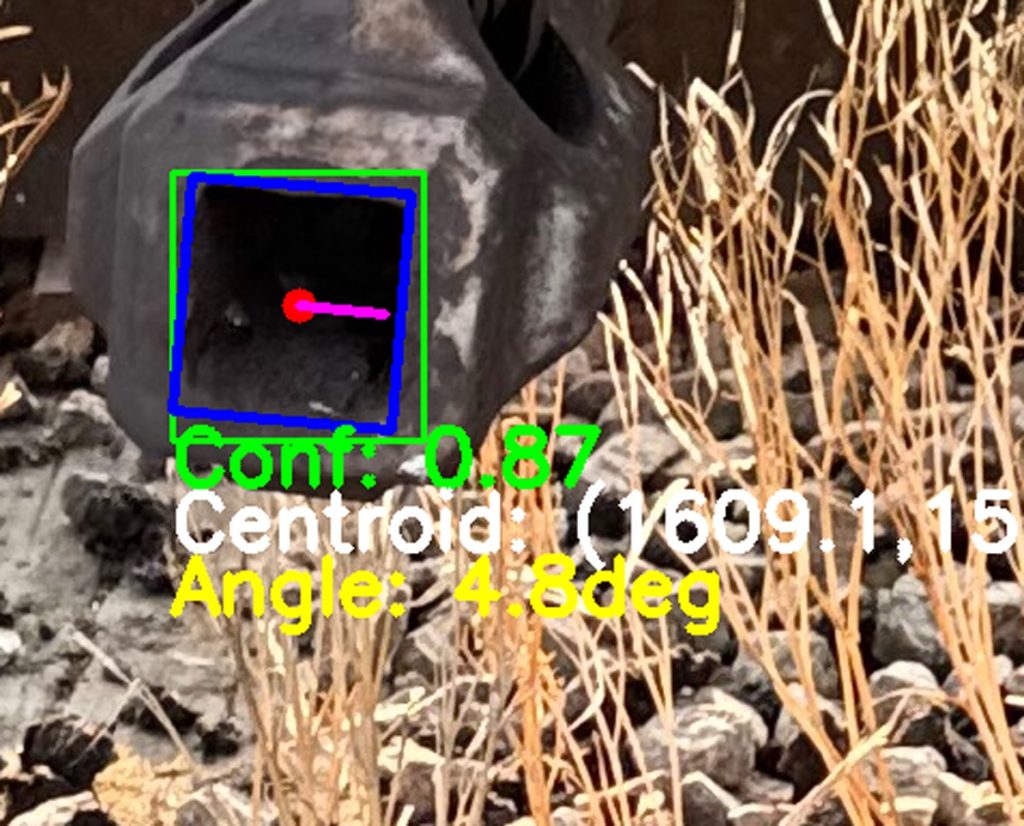
This project was a machine-vision proof of concept delivered to a large multinational commodity distribution company in Western Canada. The company had recently implemented an automated railcar unloading system, and this POC aimed to demonstrate how a machine-learning–based object detection solution could augment the existing system by accurately identifying, localising and determining the orientation of capstan sockets on incoming train cars.

Traditional vision-based automation struggled due to the variability in railcar geometry, capstan designs, lighting conditions, debris and other environmental factors. The goal of the POC was to show that a well-trained machine learning model could outperform these legacy methods – delivering high accuracy, low latency and a clean, structured data stream suitable for real-time integration into the existing control system.

The existing system had acquisition times exceeding 1 second and a success rate below 80%. For the POC, still images and video of multiple capstan types were captured, labelled and used to train a custom model. The resulting model successfully detected capstans on 100% of the validation set with confidence levels consistently above 85% and was able to infer both location and rotation. When evaluated on live video, it achieved acquisition times under 25 ms with zero false positives on surrounding train structures.

Categories
Engineering Software

Garmin Wearable Cold Plunge App

I frequent a local cold plunge therapy venue with my girlfriend and wanted a way to effectively time each phase of the process. The solutions on the market didn’t fit my requirements, nor did using a basing timer, or no timer, so I decided to make my own.

I thought it’d be a nice weekend project, but I was quick to learn that it was going to involve learning a new platform, language and a very finicky UI design to be effective across multiple devices/resolutions, etc. Garmin uses their own language “Monkey C”, which is an object-oriented language, most similar to JavaScript. It ended up taking a couple months to get together, including testing.

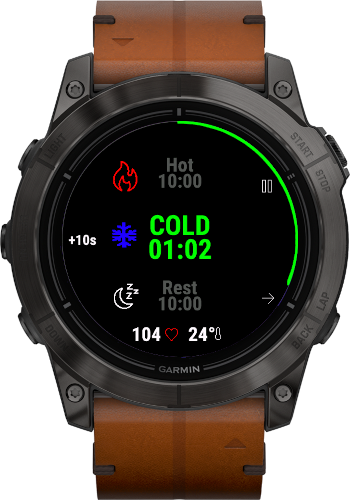
The initial design consists of 3 timers, one for each phase – hot, cold and rest. Each is customisable for your desired duration and level of suffering. The app also tracks the users heart rate, temperature and saves the activity for later review in Garmin Connect.

There are additoinal features to be added to the app over time, given user feedback and from my own experience using the app. So far, it is exactly what I would’ve wanted in a cold plunge app, but let’s see what the community says.

Link to Garmin IQ Store – Cold Plunge App