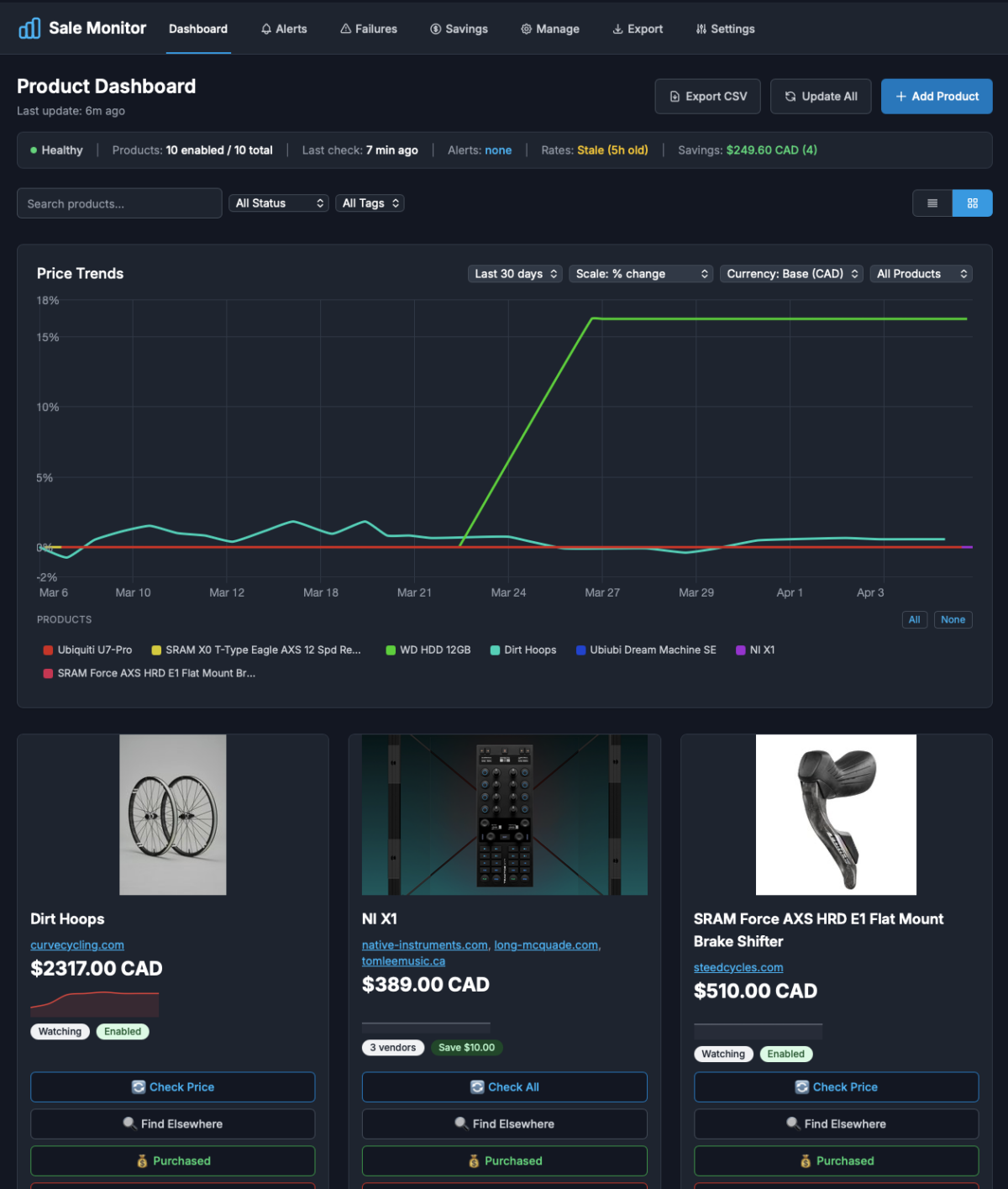
I got tired of manually checking prices on things I was watching. There are price tracking services out there, but they only work with specific retailers, don’t let you define your own alert rules and you have no control over your data. As per usual, I decided to build my own.
What started as a simple script to scrape a few prices and send me an email turned into a full blown application, with a web dashboard, multi-currency support, product grouping and purchase tracking.
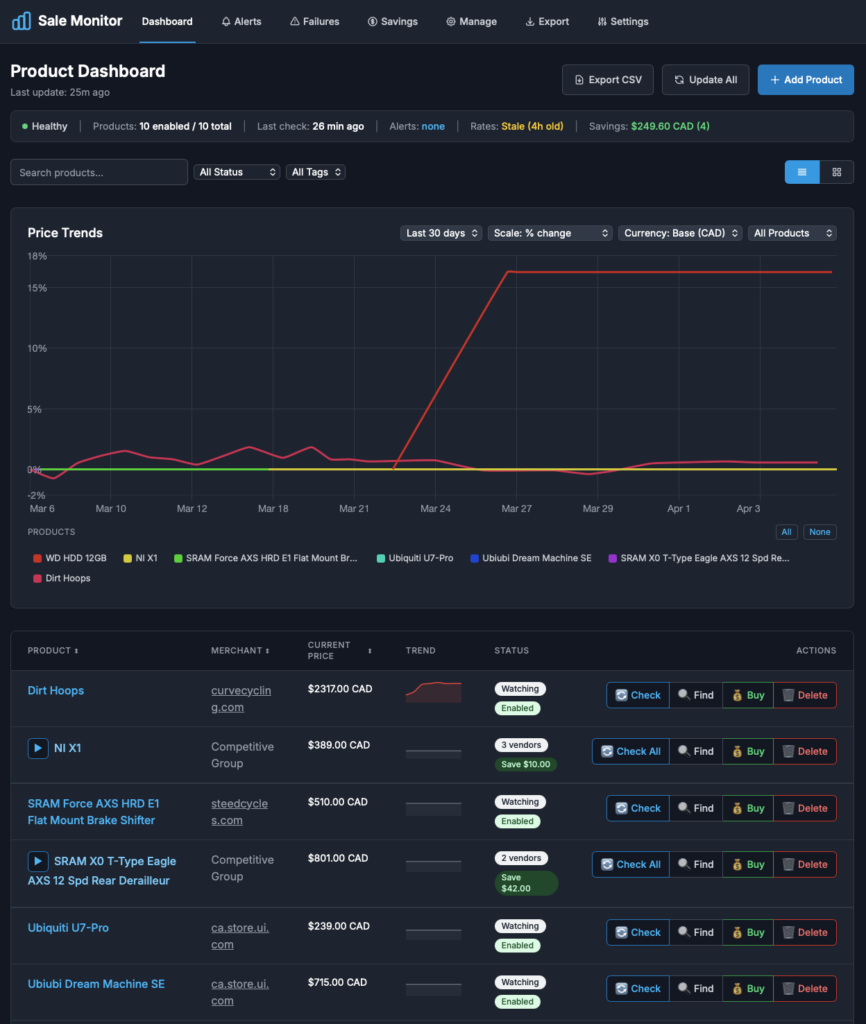
The way it works is pretty simple. A background process checks each product page on a schedule, pulls out the price and stores it in a SQLite database. Prices are found using either a CSS selector that you provide, or auto-detection, which has built-in selectors for 60+ of the major retailer platforms (Amazon, Best Buy, Shopify, WooCommerce, etc.). Everything gets converted to a base currency, so products from stores in different countries can be compared directly.
Each product can have any combination of alert rules; a target price, a percentage drop, any price drop at all, or price falling below the 30-day average. When a rule triggers, a notification is sent via email, Discord, or Slack. Each product also has its own notification cooldown, so I don’t get spammed when prices bounce around.
The dashboard is where most of the interaction happens. Products are shown in a table or card view with live pricing and trend indicators, and each product has its own page with an interactive price history chart and stats. If the same item is sold by multiple retailers, the products are automatically grouped using identifiers pulled from the page (MPN, SKU, GTIN), so pricing can be compared across vendors. I also added purchase tracking, so I can see how much I’ve actually saved by waiting for a deal.
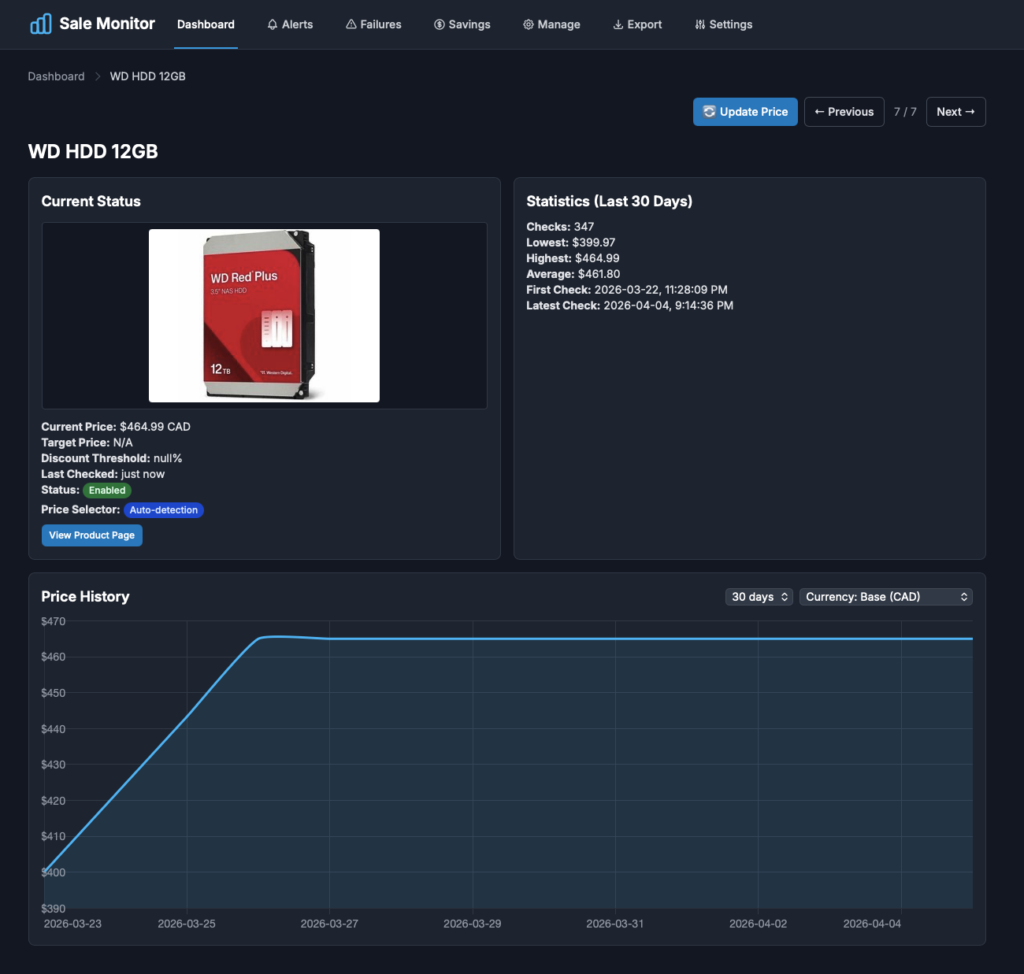
The app is written in Python (Flask), with the frontend in Jinja2 templates, Tailwind and Chart.js. The whole thing runs in a Docker container, self-hosted on my home server.
The most interesting challenge was the price auto-detection. Every retailer structures their pricing differently and even sites on the same platform have variations, so I settled on a priority chain; try the custom selector first, then the platform specific selectors, then generic fallbacks. Product grouping also needed more thought than I expected. Matching products across retailers by name is unreliable, but the standardized identifiers sitting in the page’s structured data work well.
So far it’s doing exactly what I wanted. Set it, forget it and wait for the deal notifications to roll in!